
If you’re running Google Shopping or Performance Max campaigns and not paying close attention to your product feed, there’s a good chance you’re leaving money on the table—more than you might expect.
I’ve worked with countless ecommerce businesses over the years, and one of the most common (and costly) issues I see isn’t bidding strategy or budget allocation—it’s product feed errors. These issues often go unnoticed, quietly undermining performance while advertisers focus on surface-level metrics like ROAS or CPC.
Let’s unpack what’s really happening behind the scenes—and how you can fix it quickly.
Why Your Product Feed Is the Foundation of Success
Your product feed is the engine that powers your Google Shopping campaigns. It tells Google what you’re selling, how relevant your products are to search queries, and whether your listings deserve to appear in auctions.
In the Make Each Click Count framework, relevance is everything. And your feed is where relevance starts.
When your feed is incomplete, inaccurate, or filled with errors, Google has a harder time understanding your products. That leads to reduced visibility, fewer impressions, and ultimately, lost revenue.
The Hidden Costs of Feed Errors
Product feed issues don’t always trigger obvious red flags. Instead, they quietly chip away at your campaign performance. Here are some of the biggest ways they can hurt you:
Lost Impressions
This is the silent killer. If your products are disapproved or missing key attributes, they may not show up at all for high-intent searches. You might think demand has dropped—but in reality, your products just aren’t eligible to appear.
Higher Cost Per Click (CPC)
When your feed lacks detailed, optimized data, Google struggles to match your products with the right queries. That inefficiency can lead to higher CPCs and wasted ad spend.
Lower Conversion Rates
Inaccurate pricing, outdated availability, or mismatched landing pages create friction for users. And friction kills conversions. Even small inconsistencies can erode trust and reduce sales.
Account-Level Risks
Repeated feed violations—such as pricing discrepancies or policy issues—can escalate. In severe cases, your Merchant Center account can be suspended, bringing your campaigns to a halt.
The Most Common Product Feed Errors
After managing ecommerce campaigns across a wide range of industries, I’ve noticed a few recurring issues that consistently hold advertisers back:
Weak or Incomplete Product Titles
Your product title is one of the most important ranking factors in Shopping campaigns. If it’s vague or missing key details, your visibility suffers.
Missing or Incorrect GTINs
For branded products, GTINs help Google identify and categorize your items. Missing or incorrect values can significantly limit your reach.
Price Mismatches
If the price in your feed doesn’t match the price on your website, Google will flag it. Too many mismatches can lead to disapprovals.
Outdated Availability
Listing out-of-stock items in your feed creates a poor user experience and can result in penalties.
Policy Violations
Misleading claims, restricted products, or non-compliant content can quickly trigger disapprovals and affect your entire account.
How to Fix Product Feed Errors—Fast
The good news is that most feed issues are fixable—and often, the impact of fixing them is immediate. Here’s a practical approach to getting your feed back on track:
- Start with Google Merchant Center Diagnostics
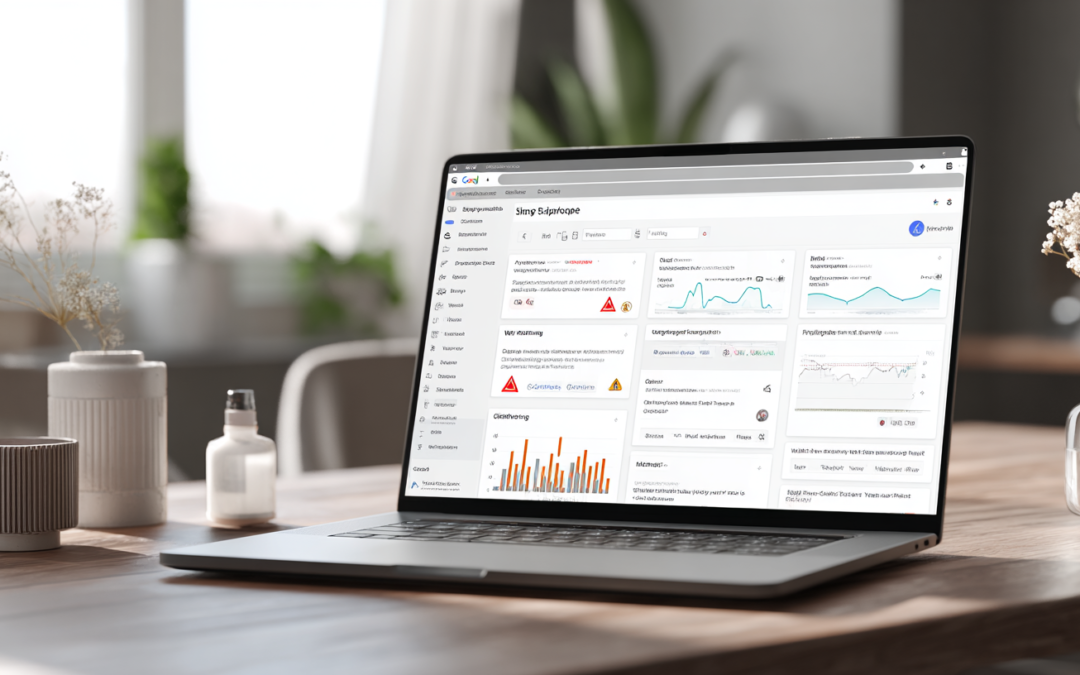
This is your first stop. The Diagnostics tab shows all current issues affecting your feed. Focus on errors first, then warnings. Don’t ignore warnings—they often turn into errors if left unresolved. - Prioritize High-Impact Fixes
Not all issues are equally urgent. Start with:
- Disapproved products
- Price mismatches
- Missing GTINs for branded items
Fixing these can quickly restore lost visibility.
- Optimize Product Titles and Descriptions
This is one of the fastest ways to improve performance. Strong titles should include:
- Brand name
- Product type
- Key attributes (size, color, material)
- Relevant keywords
Think like your customer—what would they type into Google?
- Use Feed Rules and Supplemental Feeds
If you don’t want to modify your core data source, Merchant Center allows you to make adjustments using feed rules or supplemental feeds. This is a powerful way to fix issues and test optimizations without developer involvement. - Automate Feed Updates
If your inventory or pricing changes frequently, manual updates aren’t sustainable. Use scheduled fetches or API integrations to keep your feed aligned with your website in real time. - Monitor Regularly
Feed management isn’t a one-time task. Make it part of your weekly routine. If you’re checking campaign performance regularly but ignoring your feed, you’re missing a critical piece of the puzzle.
Advanced Tips to Stay Ahead of the Competition
Once your feed is clean and compliant, you can take things a step further:
Segment Your Products
Break out top performers into their own campaigns for better control and optimization.
Use Custom Labels
Tag products based on margin, seasonality, or performance. This allows for more strategic bidding and budget allocation.
Test and Iterate Titles
Even small changes in wording can impact performance. Test variations and monitor results over time.
Stay Competitive on Pricing
Even with a perfect feed, pricing plays a major role in conversion rates. Keep an eye on competitors and adjust when necessary.
Final Thoughts
Product feed errors are easy to overlook—but their impact can be significant. They don’t just cause minor disruptions; they can quietly undermine your entire Google Ads strategy.
The flip side? Fixing them often leads to quick wins.
If you’re looking for a way to improve performance without increasing your ad spend, start with your feed. Clean it up, optimize it, and monitor it consistently.
Because in ecommerce, every click counts—and your product feed determines whether you get that click in the first place.
Frequently Asked Questions
- What is a product feed in Google Ads?
A product feed is a file (typically managed through Google Merchant Center) that contains all the key information about your products—such as titles, prices, images, availability, and identifiers like GTINs. Google uses this data to determine when and how your products appear in Shopping and Performance Max campaigns. - How do product feed errors affect Google Shopping performance?
Product feed errors can limit or completely block your products from showing in search results. Even smaller issues—like missing attributes or poor titles—can reduce relevance, increase cost-per-click, and lower conversion rates. In short, feed errors directly impact visibility, efficiency, and profitability. - Where can I find product feed errors in Google Merchant Center?
You can find all product feed issues in the Diagnostics tab within Google Merchant Center. This section highlights disapproved products, warnings, and account-level issues, along with recommendations for fixing them. - What are the most common product feed errors?
Some of the most common issues include missing or weak product titles, incorrect or missing GTINs, price mismatches between your feed and website, outdated availability, and policy violations. These errors can significantly limit your campaign performance if not addressed. - How often should I check my product feed for errors?
At a minimum, you should review your product feed weekly. However, if you frequently update inventory or pricing, more frequent monitoring—or automation—is highly recommended to prevent issues from escalating. - Can I fix product feed errors without a developer?
Yes, many feed issues can be resolved directly within Google Merchant Center using feed rules or supplemental feeds. These tools allow you to modify and optimize your product data without changing your core website or backend systems. - What’s the fastest way to improve Google Shopping results using my product feed?
Start by fixing disapproved products and resolving critical errors in Merchant Center. Then focus on optimizing product titles with relevant keywords and complete attributes. These changes can quickly improve visibility, click-through rates, and overall campaign performance.
Need Help with Google Ads? If you’re ready to take your online store’s performance to the next level with Google Shopping Ads but need a helping hand, consider reaching out. I’m Andy Splichal, author of Make Each Click Count and host of the Make Each Click Count podcast. Whether it’s about creating high-performing Shopping Ads or mastering your overall Google Ads strategy, I’m here to help. Let’s make those clicks count!
ABOUT THE AUTHOR

Andy Splichal is the founder and managing partner of True Online Presence, author of the Make Each Click Count book series, host of the Make Each Click Count podcast, founder of Make Each Click Count University and certified online marketing strategist with twenty plus years of experience helping companies increase their online presence and profitable revenues.
He was named to Best of Los Angeles Awards’ Most Fascinating 100 List in both 2020 and 2021. To find more information on Andy Splichal, visit trueonlinepresence.com or read The Full Story on his website or his blog, blog.trueonlinepresence.com.